
Moving guidesInstagram and WhatsApp

You sell on Instagram and WhatsApp. Now have a shop of your own.

Your products, delivery areas and ways to pay in one online store, while you keep selling on Instagram and taking orders on WhatsApp.

Steps7 steps in 3 parts
You needYour Instagram account, and a Helm account
MovesYour photos, products and orders

Before you start

Moves with an import

  • Your photos, from Instagram’s own export

Moves with one step

  • Products: added in Helm, by you or our team
  • WhatsApp orders: added in Helm as they come

Stays behind

  • Your posts, followers and chats stay on Instagram and WhatsApp
  • WhatsApp’s catalogue: WhatsApp has no export for it

Part 1Set up your shop

1
In Instagram

Open Instagram’s export

  1. In Instagram, open Accounts Centre, then Your information and permissions.
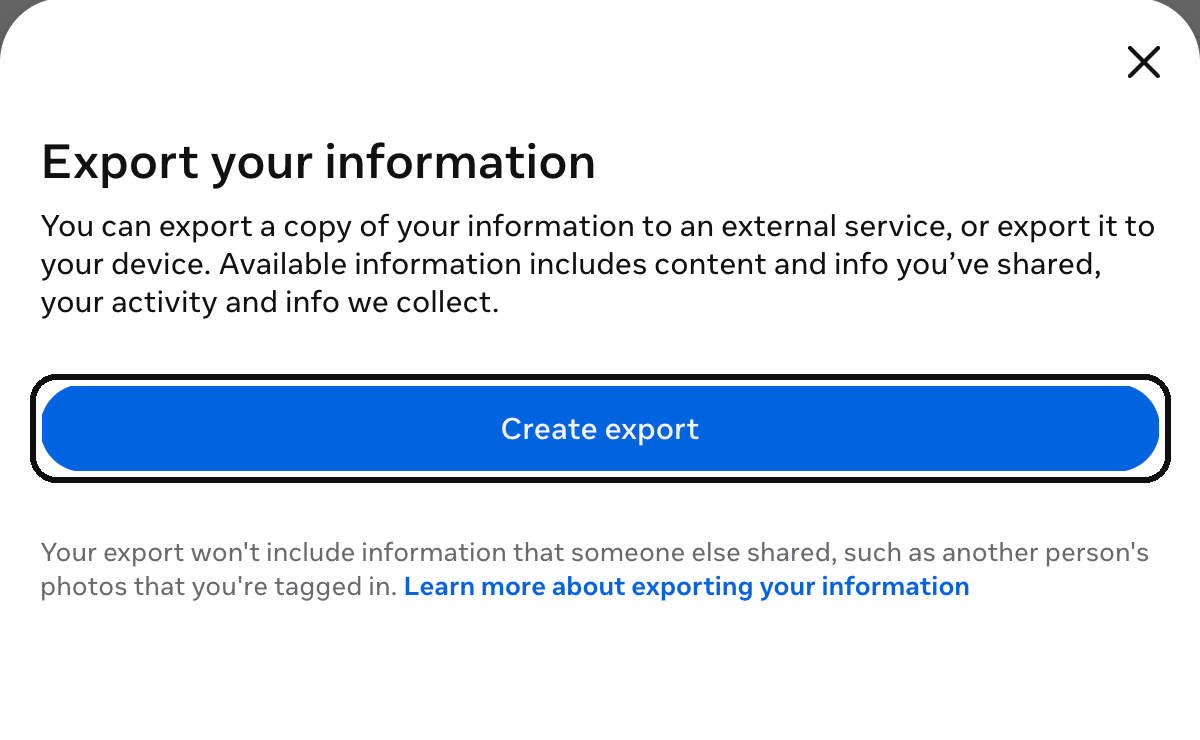
  2. Press Export your information, then Create export.
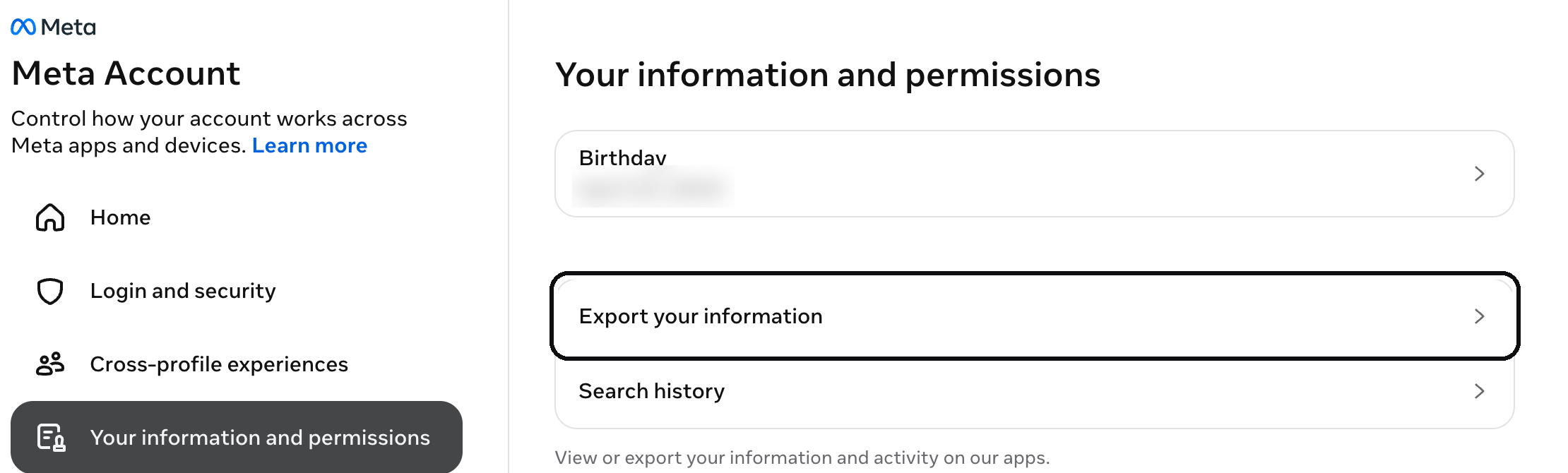
Your information and permissions → Export your information
Your information and permissions → Export your information · 13 Nov 2026 · Instagram, Accounts Centre
Create export
Create export · 13 Nov 2026 · Instagram, Accounts Centre
2
In Instagram

Choose your posts and start the export

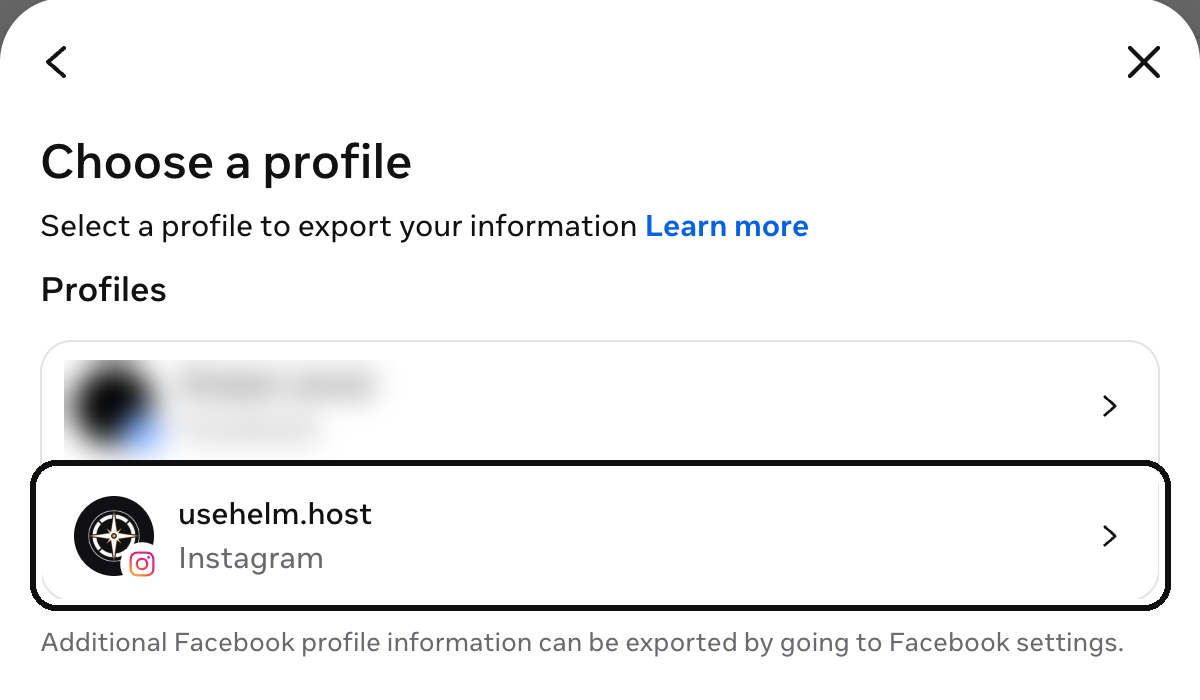
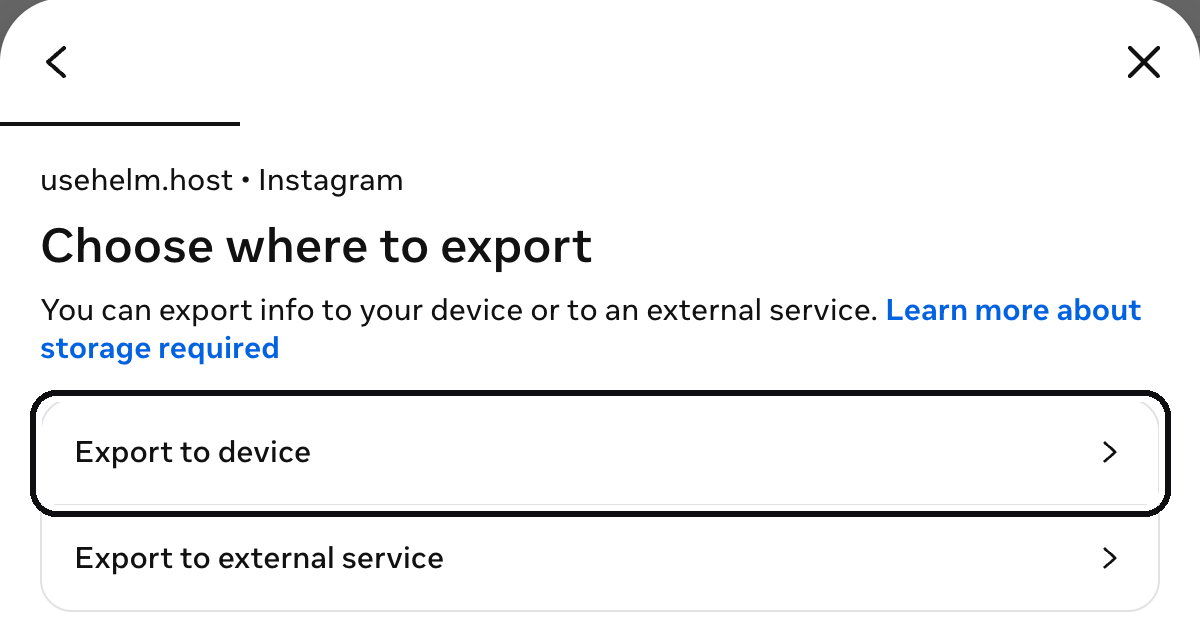
  1. Choose your Instagram account, then Export to device.
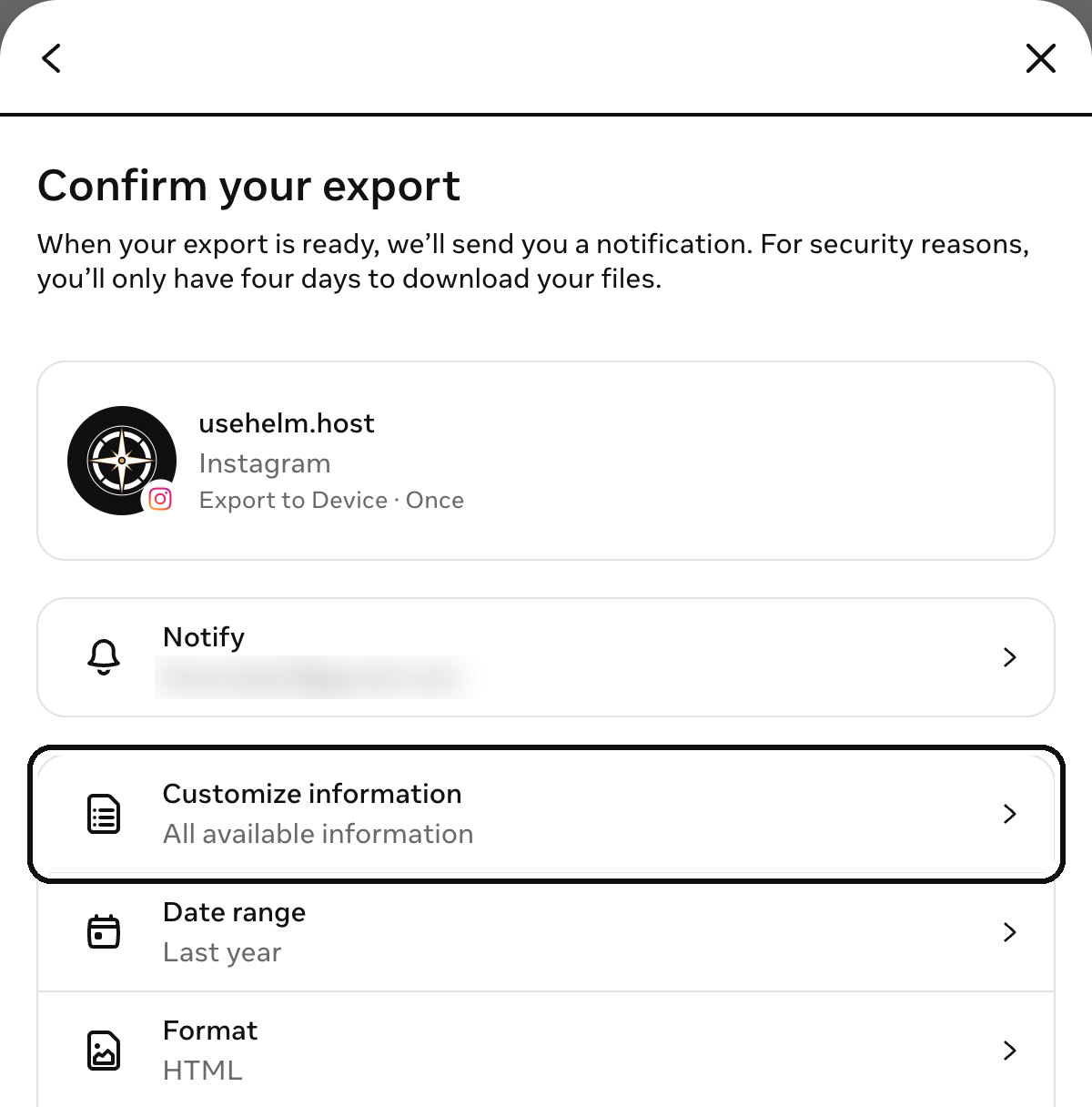
  2. Open Customize information and keep your posts, then set Date range to All time.
  3. Start the export. Instagram tells you when the file is ready, and you have four days to download it.
Choose a profile
Choose a profile · 13 Nov 2026 · Instagram, Accounts Centre
Export to device
Export to device · 13 Nov 2026 · Instagram, Accounts Centre
Confirm your export → Customize information
Confirm your export → Customize information · 13 Nov 2026 · Instagram, Accounts Centre

You’ll haveYour product photos on your computer, ready to add to Helm.

3
In Helm

Add your products

  1. In Helm, open Shop → Products.
  2. Add each product with its photos, price, sizes or colours, and stock.

Good to knowRather we did it? Send us your list and photos with the form below, and our team adds them.

4
In Helm

Set your delivery and ways to pay

  1. Add your delivery areas, each with its fee.
  2. Choose how buyers pay: Whish, OMT or cash on delivery, or cards through your own gateway.
Example
Shop · Ways to pay
WhishPays first, pastes the reference

OMTPays first, pastes the reference
CardThrough your own gateway, such as Areeba
Cash on deliveryMarked paid when the money arrivesBeirut, Mount Lebanon · +$1
Stuck on this part? Send us your files, and our team does it for you, free with a Helm trial or plan.

Part 2Keep selling where you are

5
Instagram and Facebook

Show your shop’s products on Instagram

  1. Your shop makes a product feed for Meta, in English or Arabic. Copy its address from Helm.
  2. Paste it into Meta Commerce Manager.

You’ll haveYour products on Instagram and Facebook, with your shop’s prices and stock.

6
WhatsApp

Keep your WhatsApp orders

  1. When someone orders on WhatsApp, add the order in Helm.
Example
New order
Taken by
WhatsAppMessageIn person
Layla+961 70 000 000
Linen shirt · M · Sand× 1$34.00
Delivery · Beirut$3.00
Cash on deliveryAdd order

You’ll haveEvery order, its delivery and its payment in one list, wherever it came from.

Stuck on this part? Send us your files, and our team does it for you, free with a Helm trial or plan.

Part 3Tell your customers

7
You

Put your shop where people look

  1. Put your shop’s address in your Instagram bio, your WhatsApp profile and your Status.
  2. Send WhatsApp broadcasts only to people who agreed to get them.

What changes for your buyers: they pay by Whish, OMT or cash on delivery, or by card through your own gateway: Areeba or HyperPay in Lebanon, PayTabs or HyperPay in the Gulf, or ask for yours. Order emails, invoices and packing slips go out in English or Arabic.

Or let us do it

Rather we set it up? We will.

Send your Instagram address. Our team adds your products from your list and photos.

  • Free with a Helm trial or plan
  • We reply to your request within one business day
What to move

What you share here is handled as our Privacy Policy describes.

Questions

Can I bring my WhatsApp catalogue across?

WhatsApp has no catalogue export, so products are added in Helm, by you or by our team.

Does Helm post to Instagram or message on WhatsApp for me?

No. Helm makes the product feed Instagram reads; posting and chats stay in Instagram and WhatsApp.

Can buyers still order on WhatsApp?

Yes. Add those orders in Helm, next to the ones from your site.

Selling in Lebanon? See how Helm runs an online store in Lebanon, compare Helm and Shopify, or see every moving guide.